One for all.
All your agents. One window.
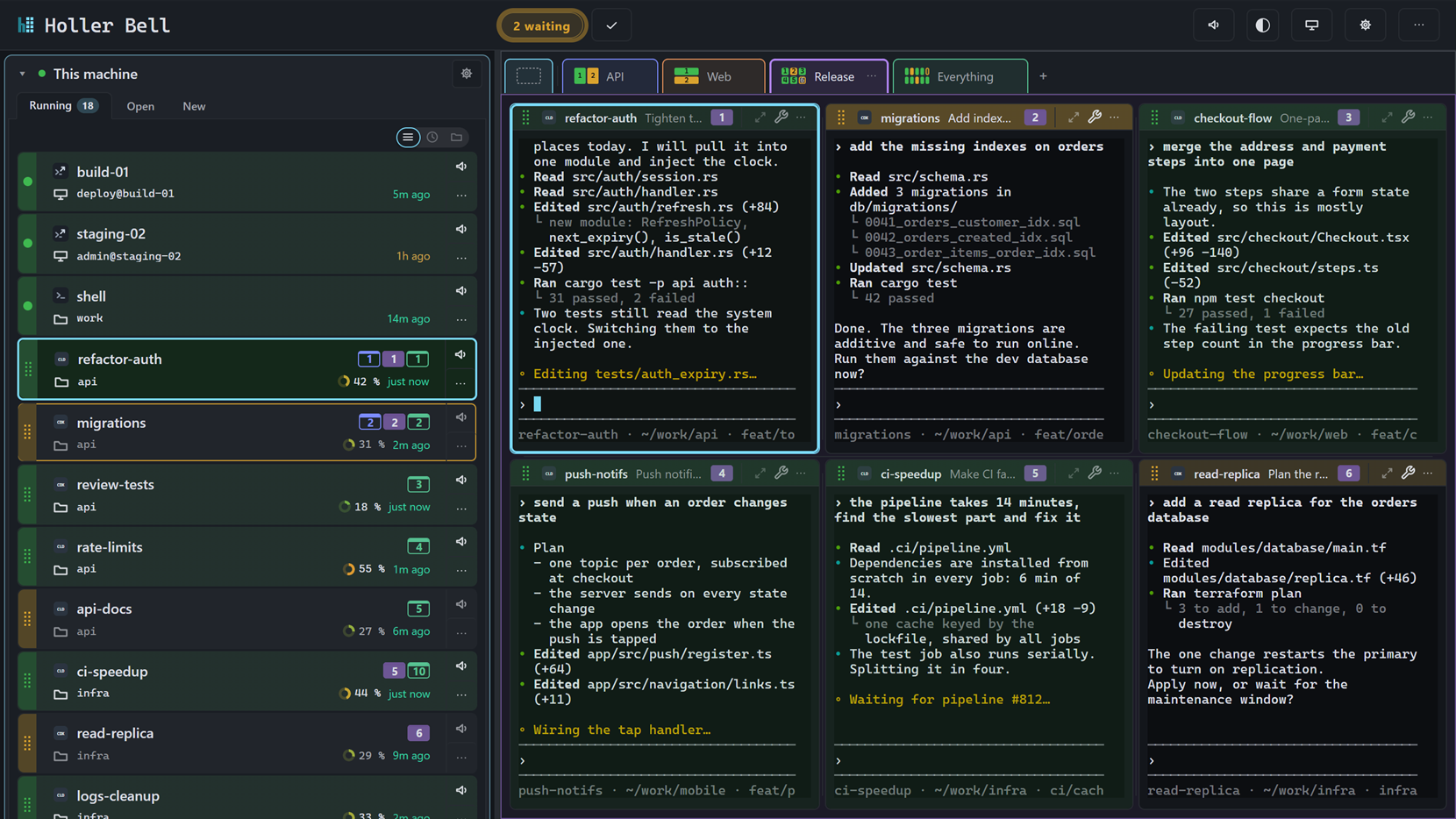
Claude Code, Codex, shells and SSH in a desktop app. When an agent finishes and waits for you, Holler Bell shows you which session it is.
Windows · macOS (Apple Silicon and Intel) · Linux (AppImage) · Linux (.deb) · Linux (.rpm)
By downloading you agree to the Holler Bell Free License.
Three agents, a shell, an SSH box. Which is waiting for you?
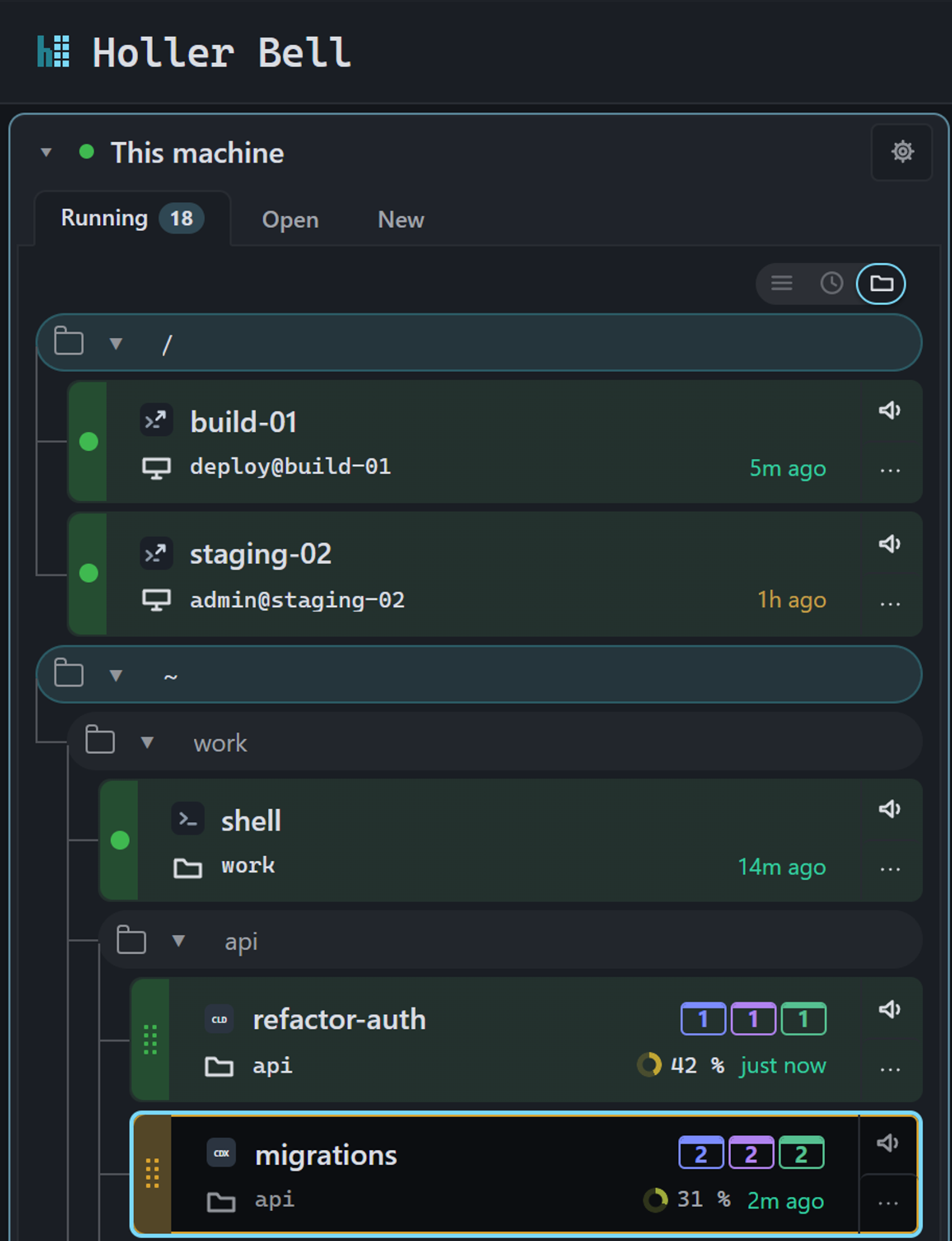
Every session, grouped by folder
Sessions sit under the folder they run in. Collapse the folders you’re not working in. SSH sessions show the host they’re connected to.
Who’s waiting on you?
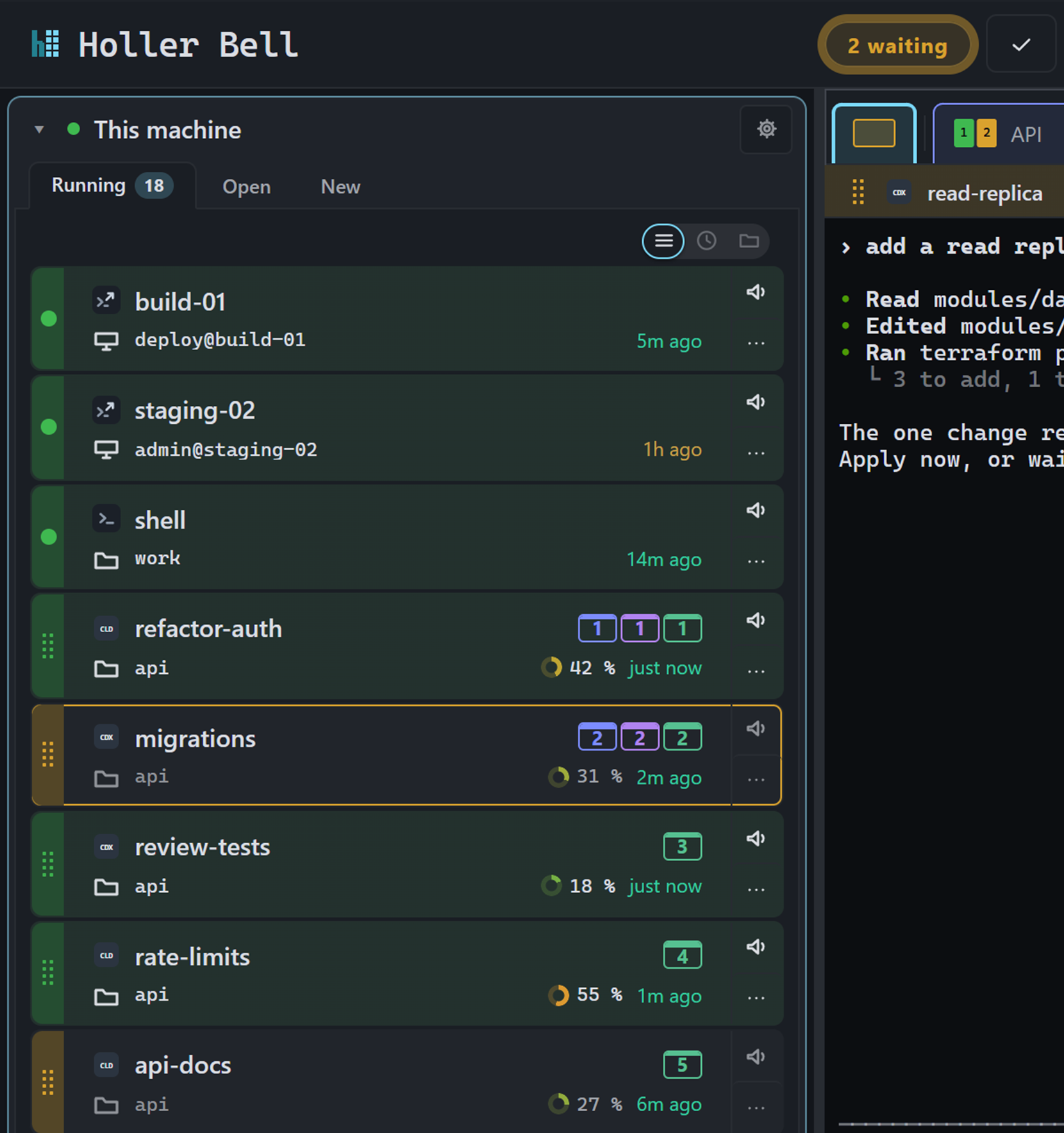
A waiting session gets an amber mark and a notification, and the waiting count goes up. Working sessions stay quiet.
On Windows, the taskbar icon shows how many sessions are waiting.
Lost your place?
After a restart, Resume all brings your sessions back. Agents continue their conversations and SSH sessions in tmux reconnect. Plain shells start fresh.
After a restart
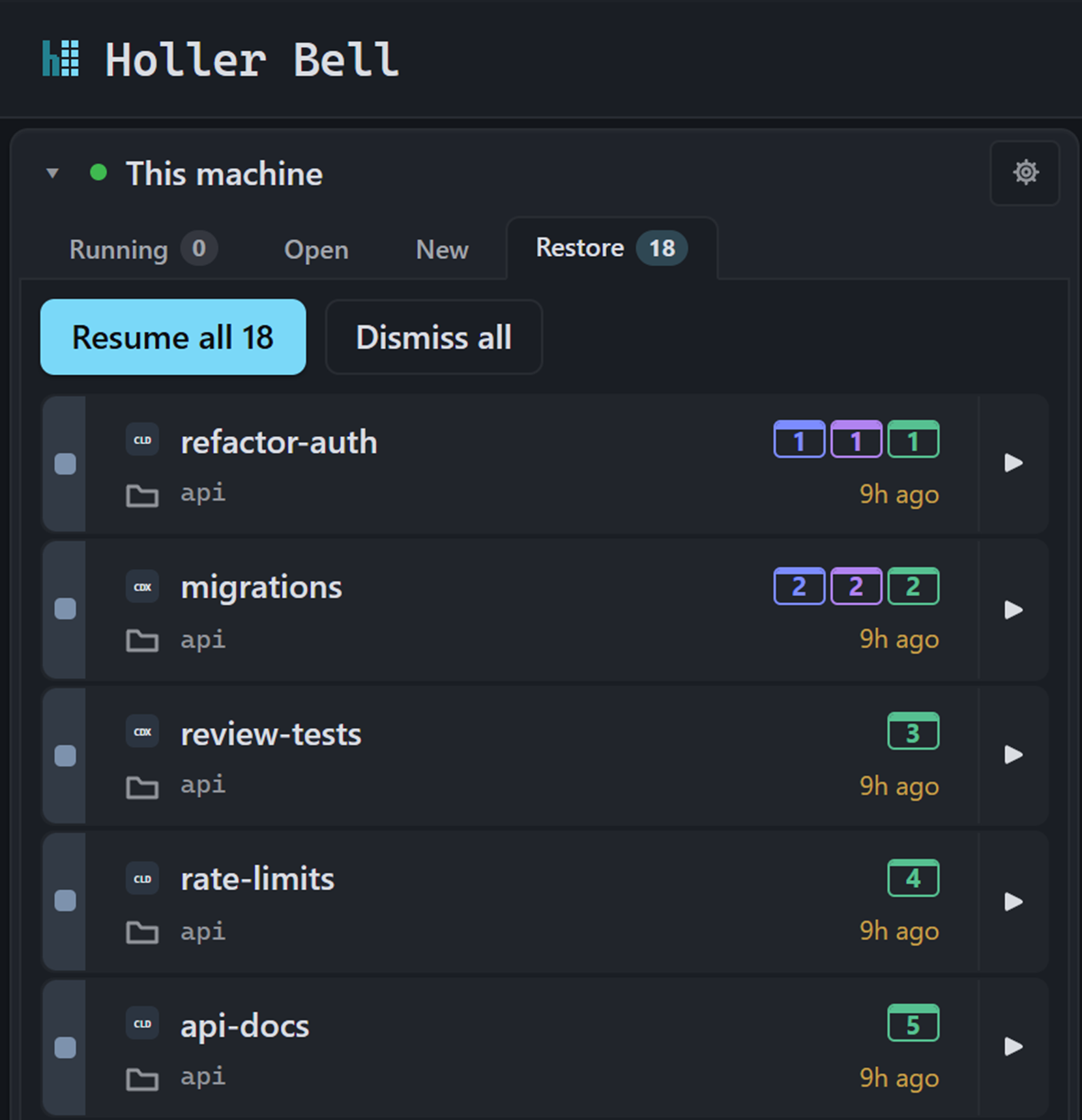
The screenshots show made-up sessions. Session types appear as the monograms CLD and CDX.
Also in the window
- Views
- Put the sessions for a task side by side and switch between views with a click.
- Waiting queue
- Click the waiting count to jump to the session that has waited longest.
- Terminal bell
- A program that rings BEL in its terminal marks the session as waiting.
- SSH in tmux
- Choose tmux when you open an SSH session, and it survives a dropped connection.
- Names that stick
- Name your shells and SSH sessions. The names survive a restart.
No account, no time limit
There is no sign-up and no trial period. Holler Bell keeps its state in ~/.holler on your machine. On its own, it contacts us for a single thing: the update check.
Free, at home and at work. See the Holler Bell Free License.
Using it at work? Tell usWe’ll reply and may send you a few written follow-up questions.
By downloading you agree to the Holler Bell Free License.
What phones home to us
Holler Bell runs on your machine. There’s no account and no cloud relay, and your terminals never leave your computer.
It runs Claude Code, Codex, any shell and SSH sessions. Your agents talk to their own providers under their own terms, not through us.
The one thing that reaches us is the update check: a plain request asking whether there’s a newer version for your operating system. It happens once when the app starts and again only when you ask. Newer versions of Holler Bell also send their version number, both with that check and with the request that downloads an update you approved. That lets us see which versions are in use. Neither request carries an account, an install ID, prompts, terminal content, file paths or code. Updates download only after you say yes.